
Power and status
The OLED turns on when power is applied. The DR HDMI 8K logo appears, followed by the default info page. If an active input is connected, the unit reports whether the input and the output sink have handshaken successfully. If a sink is present at the TX output, the TX line shows the current state of the link, including the FRL rate when an FRL signal is active.
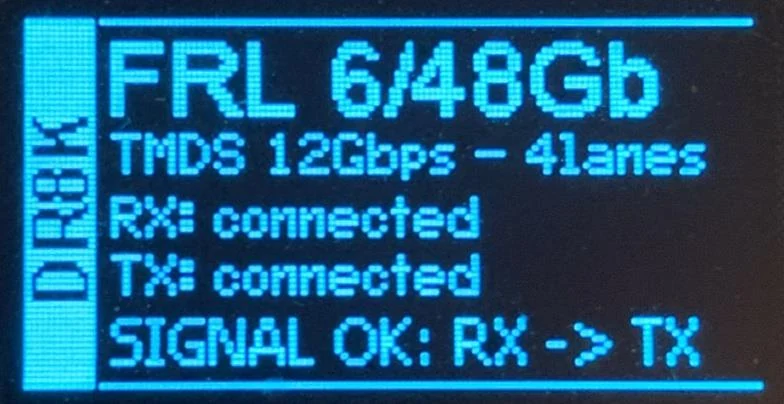
OLED off means either insufficient power or an expired OLED timer, which defaults to 30 seconds. Use the supplied power supply, or press any button if the timer has expired.
OLED on means the unit is powered and ready to accept an HDMI signal.
The rotary switch
The rotary switch has two functions. Up and down navigate the OLED menu or cycle the info pages. Press confirms a choice or selection while in the menu.
Pressing up or down also wakes the unit from sleep or fade mode. Up cycles INFO → RX EDID INFO → TX EDID INFO; down cycles INFO → UNIT INFO → TX EDID INFO.
The four info pages
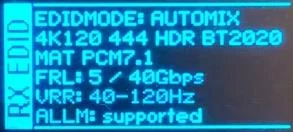
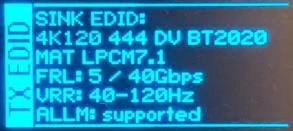
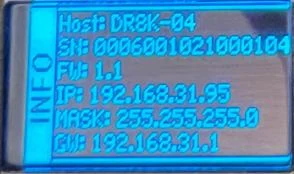
The RX EDID page shows the EDID mode with maximum resolution, frame rate, colour depth, colour space, chroma, bandwidth in Gbps, and VRR and ALLM status. The TX EDID page shows the same detail for the connected sink, including audio. The unit info page shows serial number, firmware version and IP details — that is where you find the address for the web server.